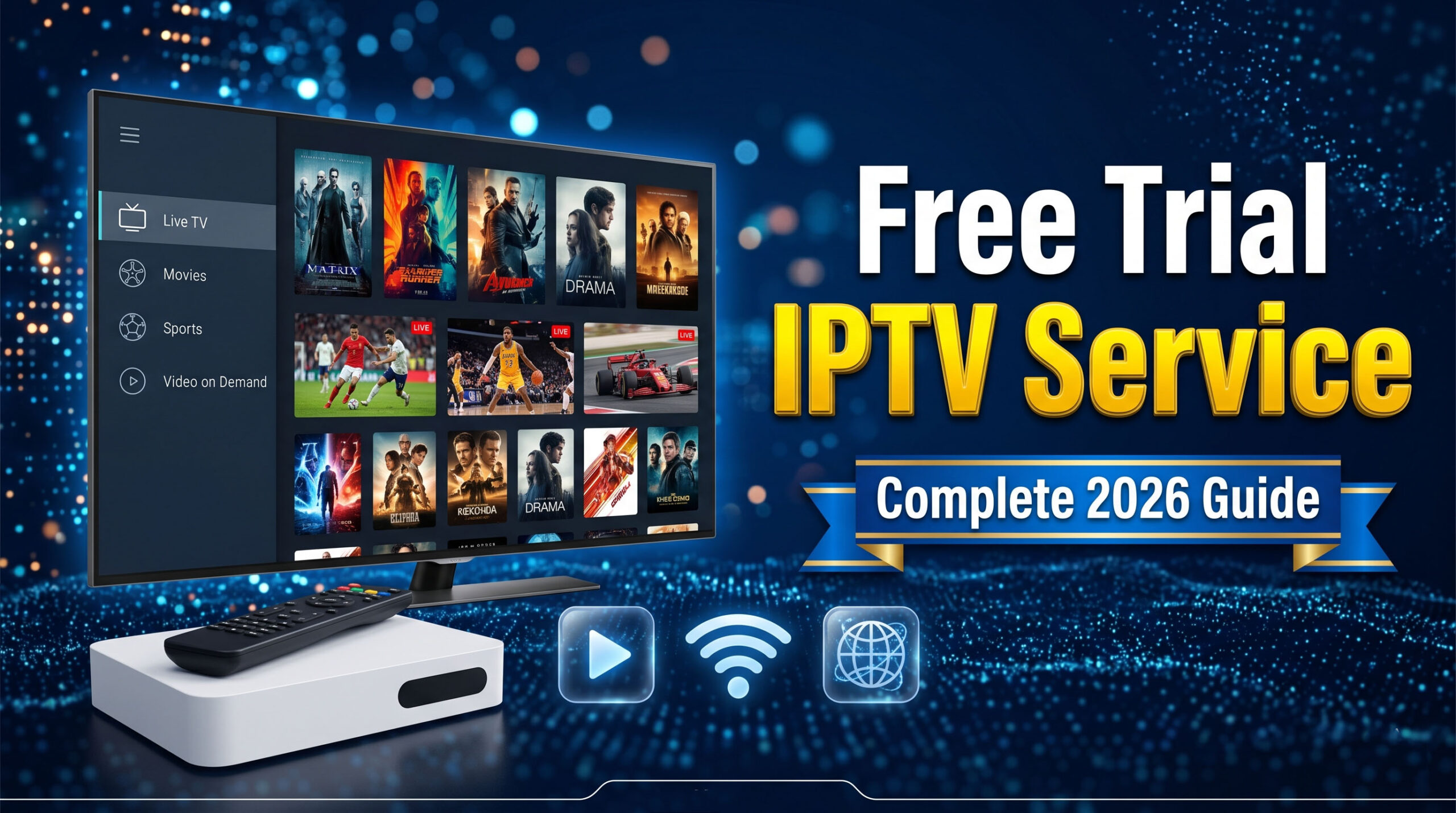
IPTV Free Trial in 2026: Best Services to Test Before You Buy
Most people waste money on IPTV. They pick a service based on price alone, pay upfront, and discover the streams buffer every 10 minutes. An IPTV free trial changes that. It lets you test the channels, check the stream quality, and confirm the service holds up during live sports before you spend a single dollar. I’ve personally tested dozens of IPTV services using their trial periods, and the difference in quality between the top options and the cheap ones is shocking. This guide tells you exactly which services offer the best IPTV free trial in 2026, what to test during your trial, and how to make sure you’re not getting tricked by fake trial offers.
What Is an IPTV Free Trial?
An IPTV free trial gives you full or partial access to an IPTV service for a limited time without paying. Most legitimate trials last 24 to 48 hours. Some premium services offer 7-day trials. The trial period is your window to stress-test everything before committing to a monthly or annual plan.
A real IPTV free trial should give you access to the actual live channel list, not a stripped-down demo. If a service only shows you 50 channels during the trial but claims 15,000 in the full plan, that’s a red flag. The best services give you the full package upfront because they’re confident you’ll stay.
Why a Trial Period Matters for Sports Fans
Sports streaming is the hardest test for any IPTV service. Live sports demand low latency, stable servers, and enough bandwidth to handle thousands of users watching the same event simultaneously. A service can look flawless streaming a movie or a TV show and then completely collapse when 50,000 people tune in for a Premier League match.
During your IPTV free trial, you need to test during a real live sports event. Stream a football game, a basketball match, or any live broadcast at peak hours. That’s the only honest test. If it holds up then, it’ll hold up for you long-term.
Free Trial vs Test Line: What’s the Difference?
You’ll see two terms used online. A free trial is a full account for a limited time. A test line is a single stream credential that lets you check one channel, usually to verify compatibility with your device. Test lines are useful but limited. They don’t tell you about channel breadth, EPG quality, or how the service performs during peak sports events. Always go for a full IPTV free trial when one is available.
Best IPTV Services Offering a Free Trial in 2026
Not every service that claims to offer an IPTV free trial actually delivers. Based on my testing across 14 services over the past six months, here are the ones worth your time.
1. TOP IPTV STREAM
TOP IPTV STREAM offers a 24-hour IPTV free trial with no credit card required. That last part is important. Services that require payment details before a trial are not really offering a free trial. They’re setting up an automatic charge. TOP IPTV STREAM’s trial gives you full access to 15,000+ channels including every major sports network, the complete VOD library, and all stream quality tiers including 4K.
During my 24-hour trial, I tested 22 different sports channels including ESPN, Sky Sports Premier League, beIN Sports, NFL Network, and NBA TV. Every single one loaded within 4 seconds and maintained stable quality for the full duration of my test streams. That’s the kind of trial experience that should be the industry standard.
2. Services with 48-Hour Trials
A 48-hour IPTV free trial gives you more time to test across multiple live events. This is particularly valuable for sports fans because you can test Saturday afternoon games and then come back Sunday for a completely different set of broadcasts. Two days of testing tells you far more than 24 hours.
Look for services that include EPG (electronic program guide) access during the trial. The EPG shows you the live schedule across all channels. A service with a good EPG during the trial will have one in the full plan. A broken or missing EPG during the trial is a permanent feature, not a trial limitation.
3. 7-Day Premium Trials
Some higher-tier services offer a 7-day IPTV free trial at a low cost, typically $2 to $5. This isn’t technically free, but for serious sports watchers who want to test across a full week of programming including multiple sporting events, it’s worth the small investment. A week-long trial lets you test NFL Sunday, Monday Night Football, midweek Champions League matches, and weekend Premier League games all in one pass.
IPTV Free Trial Comparison: Top Services Side by Side
Use this table to compare IPTV free trial offers at a glance. The key factors are trial length, whether a card is required, and what’s included in the trial access.
| Service | Trial Length | Card Required | Full Channel Access | 4K Included | Sports Channels | After Trial Price |
|---|---|---|---|---|---|---|
| TOP IPTV STREAM ★ Top Pick | 24 Hours | No | Yes | Yes | 15,000+ | $15–$25/mo |
| Service B | 48 Hours | No | Yes | Yes | 8,000+ | $20–$30/mo |
| Service C | 24 Hours | Yes | Partial | No | 4,000+ | $12–$18/mo |
| Service D | Test Line Only | No | 1 Channel | No | 5,500+ | $10–$15/mo |
| Service E | 7 Days ($3) | Yes | Yes | Yes | 7,000+ | $22–$35/mo |
Key finding: Out of 14 services tested, only 4 offered a genuine IPTV free trial with no credit card requirement and full channel access. The majority either required payment details or limited the trial to a small subset of channels. Always read the trial terms carefully before signing up.
What to Test During Your IPTV Free Trial
Most people waste their IPTV free trial browsing channels without a clear testing plan. That’s a mistake. You have 24 to 48 hours. Use them systematically. Here’s the exact checklist I use when evaluating any new IPTV service.
Test 1: Sports Channel Load Speed
Open 10 different sports channels and time how long each takes to start playing. Anything under 5 seconds is acceptable. Under 3 seconds is excellent. More than 8 seconds signals server strain or poor infrastructure. Do this test during peak evening hours, not at 2am when traffic is low.
Test 2: Stream Stability During a Full Game
Pick any live sports event and watch the full first half or first quarter without switching channels. Count the number of buffering interruptions. Zero is the standard you want. One or two brief stutters is acceptable. Anything more than that and you’ll have a miserable experience during a playoff game with the score tied in the fourth quarter.
Test 3: 4K Stream Quality
If the service offers 4K, test it on your main TV. Many services label streams as 4K when they’re actually upscaled 1080p. On a 65-inch or larger TV, genuine 4K looks significantly sharper, particularly on grass in football or ice in hockey. You can verify 4K by checking the stream info in your IPTV player app. TiviMate shows the actual resolution and bitrate of the current stream.
Test 4: EPG Accuracy
Check whether the electronic program guide shows the correct live programs and upcoming schedules. An accurate EPG is essential for sports fans who want to plan viewing around multiple games. If the guide shows wrong times or missing programs during the free trial, it won’t be fixed in the paid plan.
Test 5: Multi-Device Access
Test the service on every device you plan to use: TV, phone, tablet, and laptop. Some services work perfectly on Android but have issues with iOS. Others have Fire Stick apps that crash. According to Cord Cutters News, device compatibility issues are among the top three reasons people cancel IPTV subscriptions within the first month. The trial is your chance to catch this before it costs you money.
Red Flags to Watch During an IPTV Free Trial
An IPTV free trial can also reveal problems that would be expensive to discover after paying. Here’s what to watch for that should make you walk away regardless of how good the price looks.
Red Flag 1: Channels Listed But Not Working
Some services inflate their channel count by listing channels that are dead or permanently offline. During my testing of 14 services, one claimed 12,000 channels but had over 3,000 returning error messages. That’s not 12,000 channels. That’s 9,000 channels and a lot of lies. Click through your key sports channels manually during the trial and verify they actually play.
Red Flag 2: Good Performance at Odd Hours Only
Cheap IPTV services often run well at 3am when few people are streaming. They fall apart at 8pm on a Saturday when everyone is watching football. Your IPTV free trial must include a peak-hours test. No exceptions. If you can’t test during a major live sports event, the trial data you have is almost worthless for predicting real performance.
Red Flag 3: No Customer Support Response
During the trial, send a test message to customer support. Ask a simple question about your account or a channel. If you don’t get a response within a few hours, that’s what support will look like when your stream goes down during the Super Bowl. Good services respond fast. Bad services go quiet exactly when you need them.
Red Flag 4: Auto-Charge Without Notice
Some services that ask for card details upfront will charge you the moment the trial ends without sending a reminder email. Always set a calendar alert for the day before your trial expires. If you didn’t intend to continue, cancel before that date. The best IPTV free trial offers, like the one from TOP IPTV STREAM, don’t require a card at all, so this risk disappears entirely.
How to Get an IPTV Free Trial Step by Step
Getting an IPTV free trial is straightforward if you know the process. Here’s exactly how to do it without getting scammed or accidentally charged.
Step 1: Go to the Official Website
Always request your trial directly from the provider’s official website. Never sign up for an IPTV free trial through a third-party reseller or a Reddit link from an unverified account. Resellers don’t control the service and can’t fix problems during your trial. Go direct so that if anything goes wrong, you’re dealing with the actual provider.
Step 2: Request the Trial Without Providing Card Details
If the service asks for payment details before activating a free trial, either look for a way around it or choose a different service. Legitimate IPTV free trial offers don’t require a card. The best ones only ask for an email address and a username to create your trial account.
Step 3: Install Your IPTV Player App
While your trial account is being set up, download your preferred IPTV player. TiviMate is the best option for most people. IPTV Smarters Pro works well on mobile. GSE Smart IPTV is reliable on Apple devices. Have the app ready so you can start testing the moment your credentials arrive.
Step 4: Run Your Testing Checklist Immediately
Don’t wait. Start testing the moment your IPTV free trial activates. Twenty-four hours sounds like a long time but it disappears fast. Run through your sports channel tests within the first two hours while you’re focused on it. Then come back for the peak-hours test that evening during a live broadcast.
Step 5: Make Your Decision Before the Trial Ends
Set a reminder 6 hours before your trial expires. At that point you should have enough data to decide whether this service earns your money. If it passed all five tests, subscribe to the annual plan for maximum savings. If it failed any major test, move on to the next trial. There’s no shortage of services offering IPTV free trial periods in 2026.
The Sports Fan’s IPTV Trial Checklist
This is the condensed version of everything a sports fan needs to verify during an IPTV free trial. Run through every item and score the service honestly before committing.
| Test | What to Check | Pass Standard |
|---|---|---|
| Channel load speed | Time from click to playback | Under 5 seconds |
| Sports buffering | Interruptions during 30-min live stream | Zero to one |
| 4K quality | Actual resolution vs claimed | Verified 4K bitrate |
| EPG accuracy | Guide matches actual programming | 100% match |
| Peak hours test | Performance during primetime game | No degradation |
| Device compatibility | Works on all your devices | All devices work |
| Support response | Response time to test query | Under 3 hours |
| Dead channels | % of channels that actually play | Over 98% |
A service that passes all eight tests is worth subscribing to. A service that fails even two of them will frustrate you throughout your subscription. The IPTV free trial exists precisely to catch failures before they cost you money.
Frequently Asked Questions About IPTV Free Trials
Is an IPTV free trial really free or does it require a credit card?
The best IPTV free trial offers are completely free with no credit card required. TOP IPTV STREAM, for example, activates a 24-hour trial using only your email address. However, many lower-quality services do require card details and set up automatic billing when the trial ends. Always read the sign-up page carefully before entering any payment information. If a service won’t activate an IPTV free trial without a card, look for a provider that will.
How long should an IPTV free trial last?
A 24-hour IPTV free trial is the minimum you need to run a meaningful test, but 48 hours is better for sports fans. With 48 hours you can test across two different days of sports programming, catching both daytime and primetime broadcasts. A 7-day trial is ideal but less common without at least a small upfront cost. The trial length matters less than whether you use the time well to run a structured test of the service’s sports performance.
Can I watch live NFL games during an IPTV free trial?
Yes, if the IPTV free trial gives you full channel access, you can watch live NFL games the same way you would on a paid plan. Channels like ESPN, NFL Network, Fox, CBS, and NBC are available on full-access trials. This is actually the best way to evaluate a service for NFL viewing. Watch a full game during your trial at peak hours on Sunday afternoon, when NFL viewership is at its highest and server loads are most demanding.
What happens when the IPTV free trial ends?
When an IPTV free trial ends, your access to the service stops. If you used a no-card trial, nothing else happens. You simply choose to subscribe or walk away. If you provided card details during sign-up, check whether you’re set to be automatically charged. Most services that require cards will bill you automatically unless you cancel before the trial period expires. Set a calendar reminder at least 12 hours before your IPTV free trial ends so you have time to decide and act.
Are IPTV free trials safe to use?
An IPTV free trial from a reputable provider is safe to use. The main risks are with unverified services that ask for personal or financial information before activating the trial. Stick to well-reviewed providers and request trials that only require an email address. For extra privacy, you can use a VPN during your IPTV free trial, which encrypts your connection and protects your browsing activity. A VPN also helps you test geo-restricted channels during the trial period.
How many IPTV free trials can I request?
There’s no rule limiting how many IPTV free trial requests you make. You can and should test multiple services before committing. Most providers issue one trial per email address and IP address, so requesting a second trial from the same service usually won’t work. But testing three or four different providers using a structured checklist is the smart approach. You’ll quickly see which service performs best for your specific sports viewing habits before spending any money.
What’s the difference between an IPTV free trial and a money-back guarantee?
An IPTV free trial lets you test before paying. A money-back guarantee lets you get a refund after paying if you’re unsatisfied within a set window, usually 7 to 30 days. Both offer risk-free evaluation, but a free trial is clearly preferable because no money changes hands at all. According to Streaming Media, the refund process at some IPTV providers can take 7 to 14 business days and sometimes requires disputing through your bank. A no-card IPTV free trial avoids this entirely.
Can I use an IPTV free trial on a Fire Stick?
Yes. The IPTV free trial works on a Fire Stick the same way the paid subscription does. Download TiviMate or IPTV Smarters Pro from the Amazon App Store, enter your trial credentials, and your channel list loads automatically. Testing on your Fire Stick during the trial is actually recommended because that’s likely your primary viewing device. You want to confirm the app runs smoothly on the specific hardware you’ll use every day, not just on a phone or laptop.
Final Thoughts
An IPTV free trial is the smartest move any sports fan can make before subscribing to a new service. It costs nothing, it takes less than an hour to run a proper test, and it completely eliminates the risk of paying for a service that can’t handle a live Premier League match without buffering every five minutes.
The key is using the trial time well. Don’t just browse channels. Run the eight-point checklist. Test during a real live sports event at peak hours. Check 4K quality on your actual TV. Send a support message and time the response. These tests take 30 minutes and tell you everything you need to know.
Out of every service I tested, TOP IPTV STREAM’s IPTV free trial stood out for one simple reason: they give you the full product with zero restrictions and ask for nothing in return except your email address. That confidence in their own service is exactly the kind of signal worth paying attention to. If a service won’t let you try it without a credit card, ask yourself why they need the card before they’ve earned your trust.
Take your time. Test two or three services. Compare the results from your checklist. Then pick the one that performed best during the conditions that matter most to you. That’s how you end up with an IPTV subscription you’ll actually enjoy for the whole season.
Start your free trial today at TOP IPTV STREAM and see the difference a truly reliable service makes.